Coming soon to iPhone, iPad and Mac

One list.
Just today.
Beautifully ordered.

Jamaal is a calm planner that works out what fits in your day, puts it in the right order, and plans tomorrow with you before bed.

Two emails at most: one when the beta opens, one at launch.
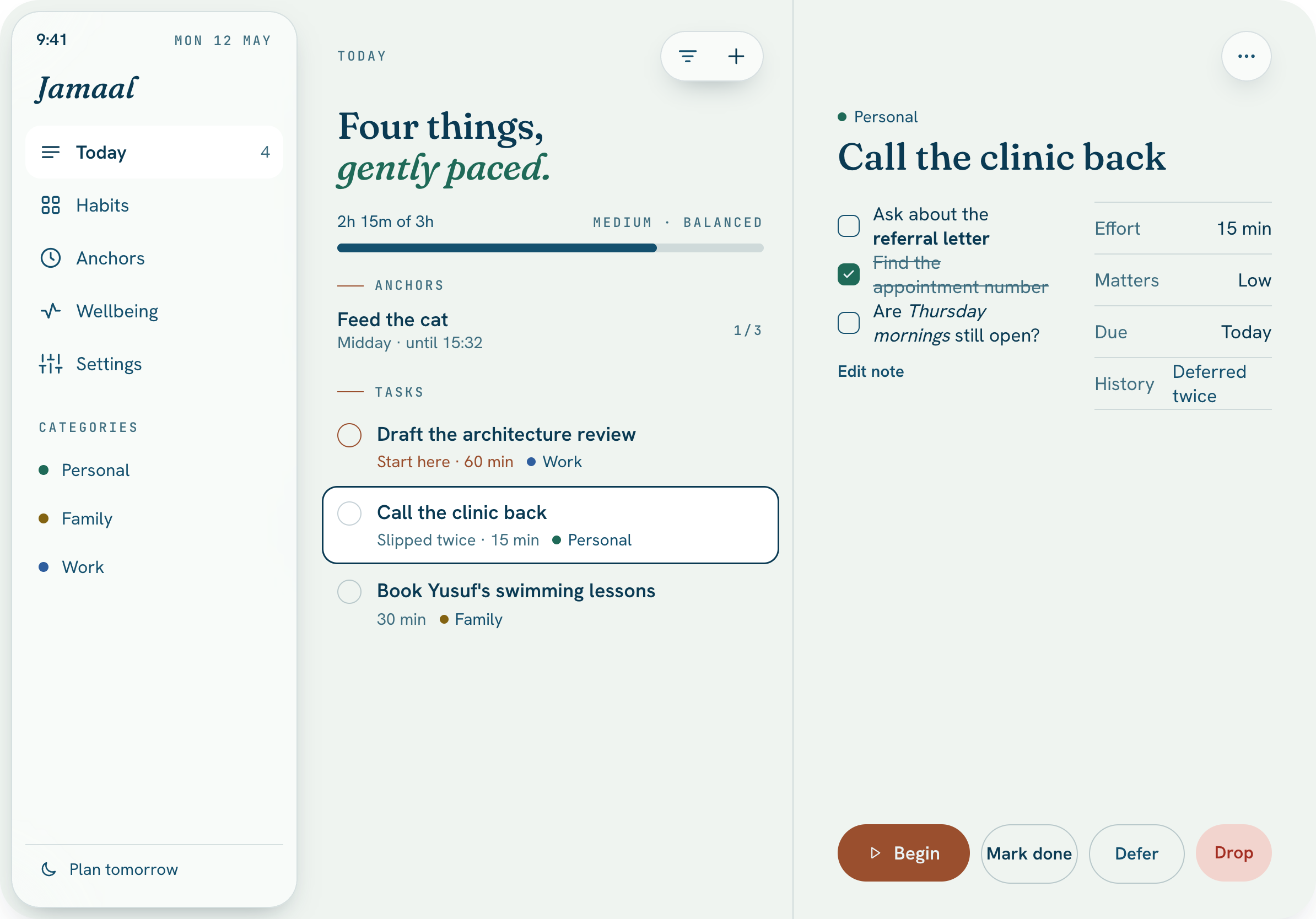
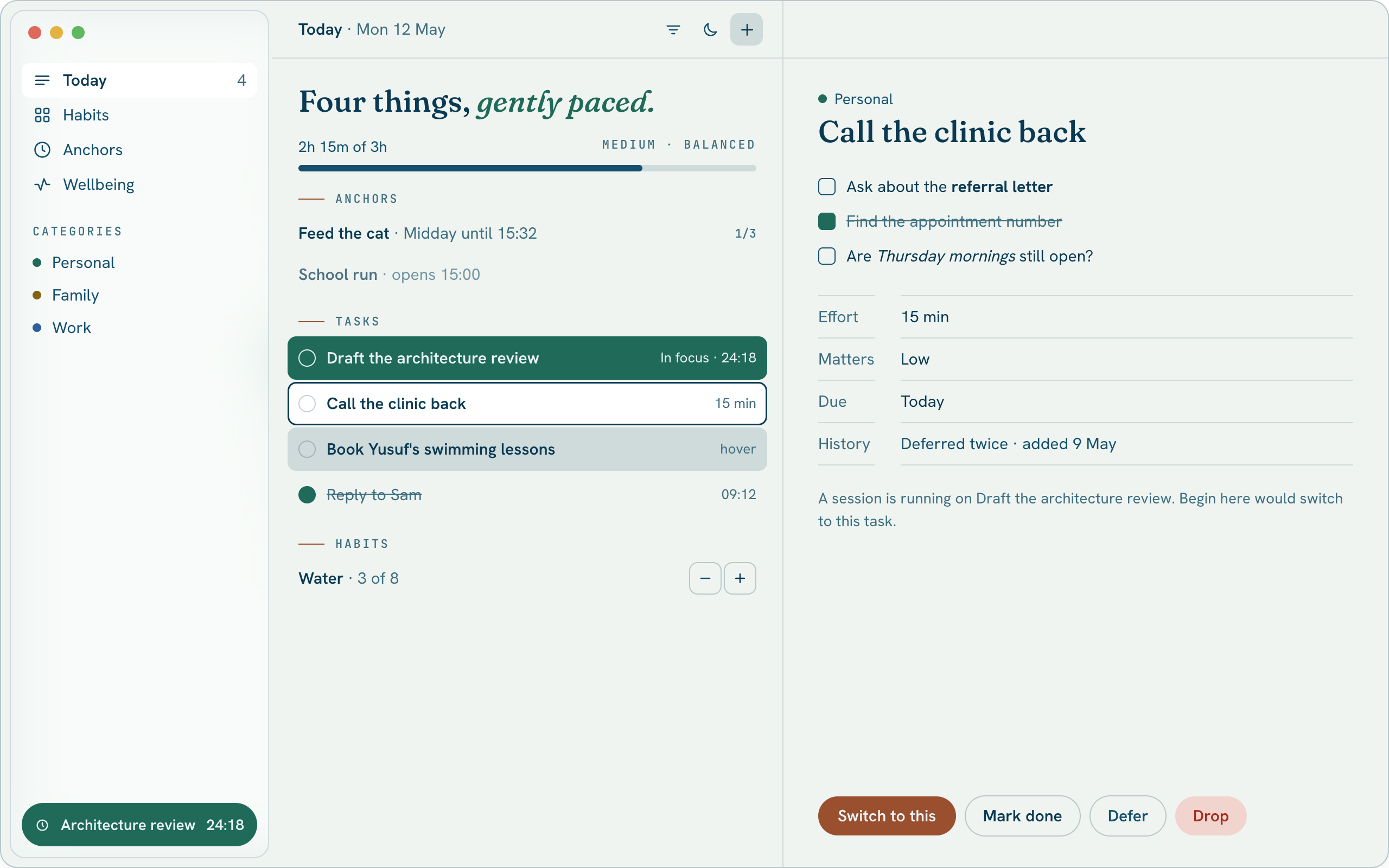
Jamaal's Today view on a Mac
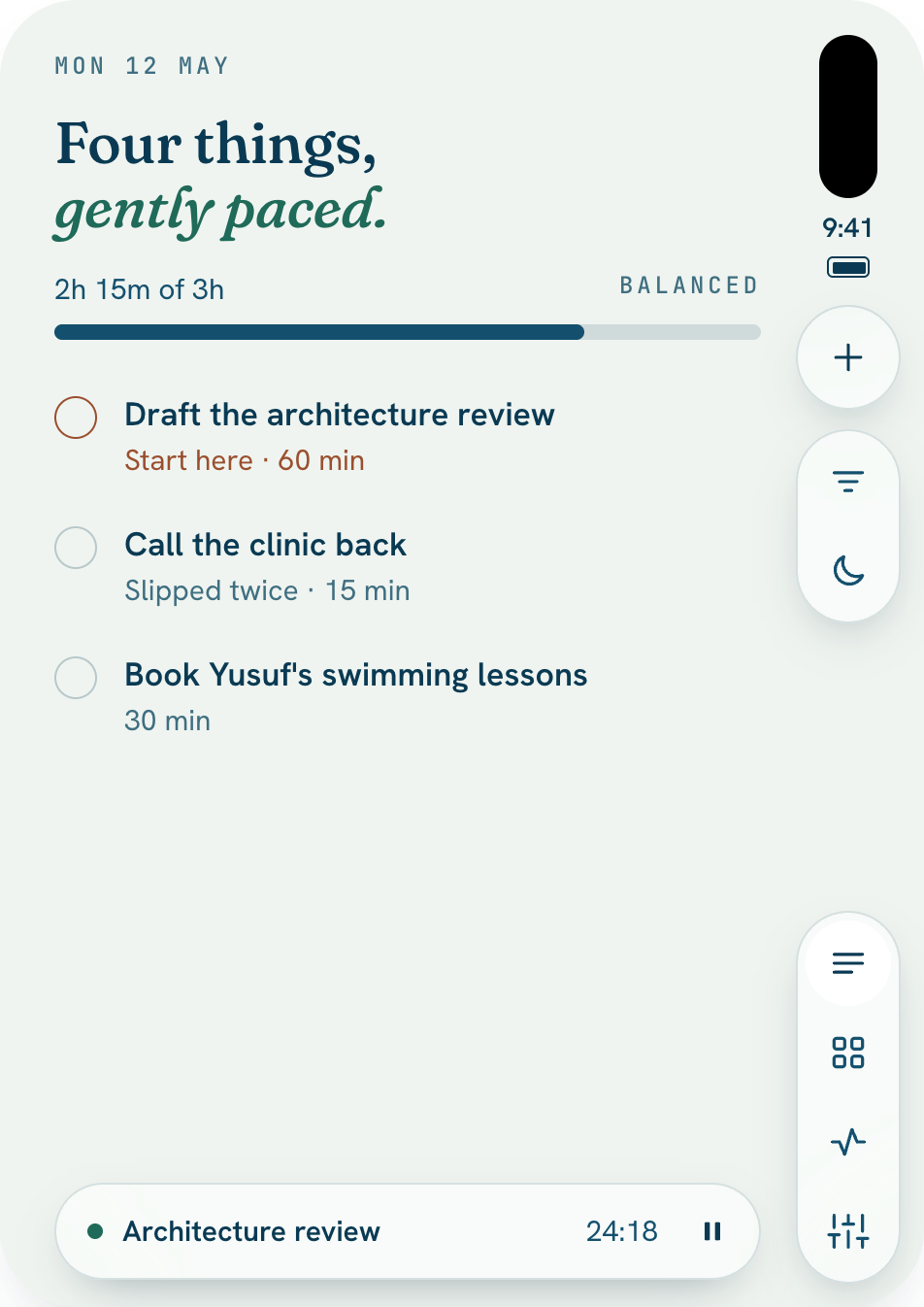
Today on iPhone
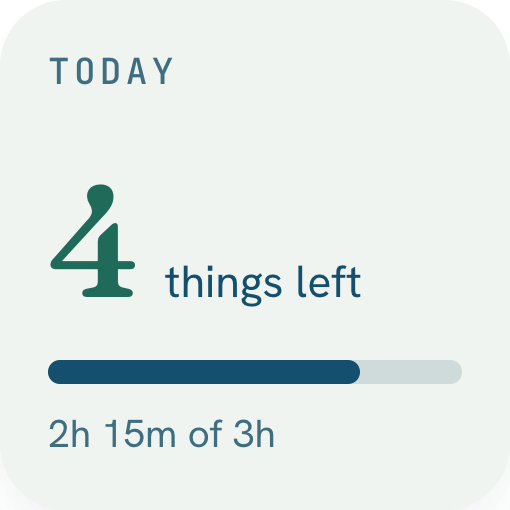
The Today widget on the Home Screen
Why another app

Reminders is good at remembering. Jamaal is for deciding.

Most of us already have a list app, a calendar and a habit tracker. Remembering things isn't the hard part. The hard part is that none of them tells you what fits in today.

  • A list app: Shows everything you've ever added.

    Jamaal: Shows today, and only what fits.

  • A list app: Leaves the order up to you.

    Jamaal: Orders by what matters and what's due.

  • A list app: Tasks here, habits there, the school run in a calendar.

    Jamaal: Tasks, habits and fixed-time things in one list.

  • A list app: Overdue in red. Streaks to keep alive.

    Jamaal: No red. No streaks. Nothing to break.

  • A list app: Nothing happens in the evening.

    Jamaal: Five minutes at night shapes tomorrow.

The order, explained once

The sorting you never have to do.

When you add something, you tell Jamaal two things: how much it matters, and when it's due. Behind the list, it uses the oldest trick in planning to place each task on a grid of what matters and what's urgent. You never see the grid. You just get one line, in the right order.

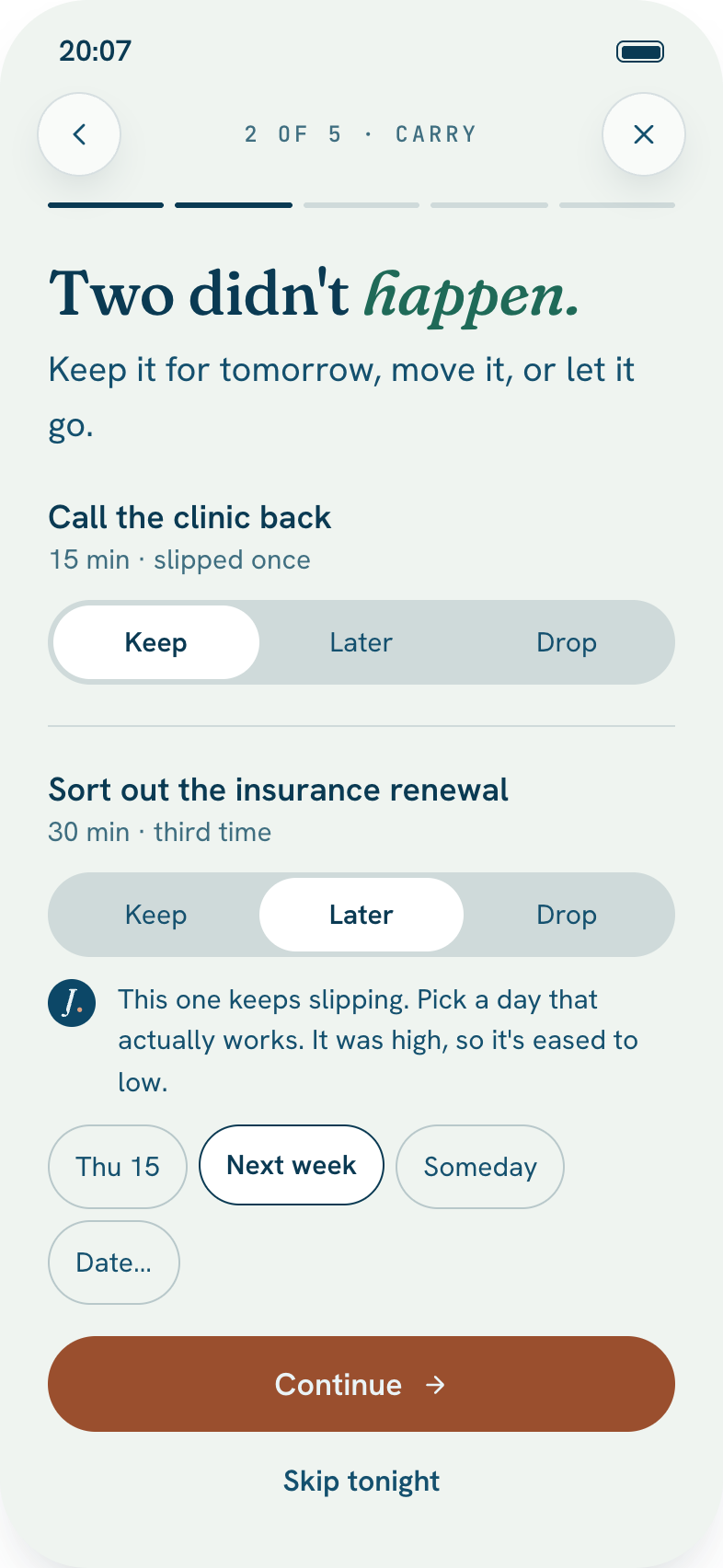
Urgency also grows. Put something off three times and Jamaal asks for a date. Put it off five times and it asks whether it still belongs.

  1. Draft the architecture reviewMatters · due today
  2. Renew the passportMatters · due next month
  3. Reply to the school emailSmall · due today
  4. Sort the photo librarySmall · no date
A day with Jamaal

From the first coffee to the last light.

07:10Morning

The day arrives already sorted.

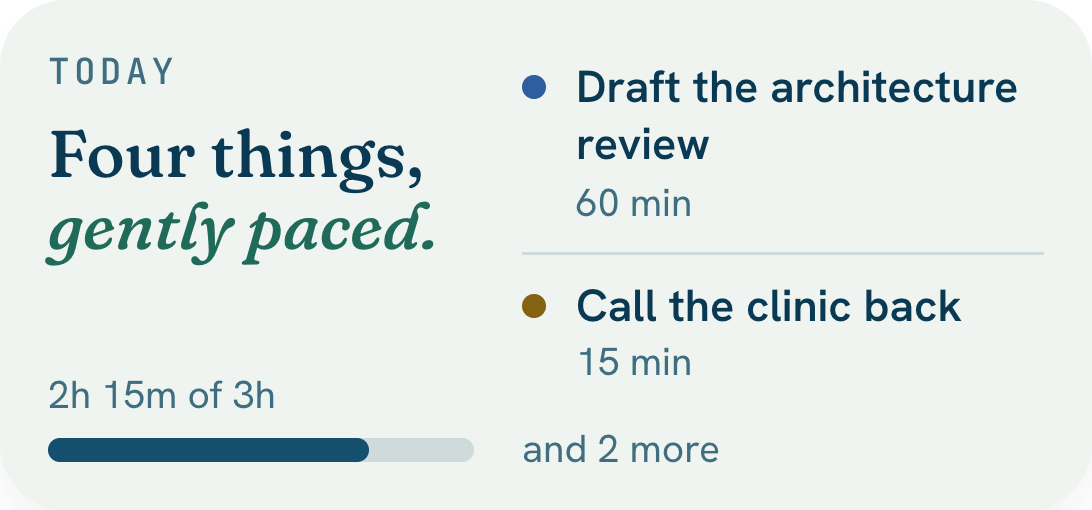
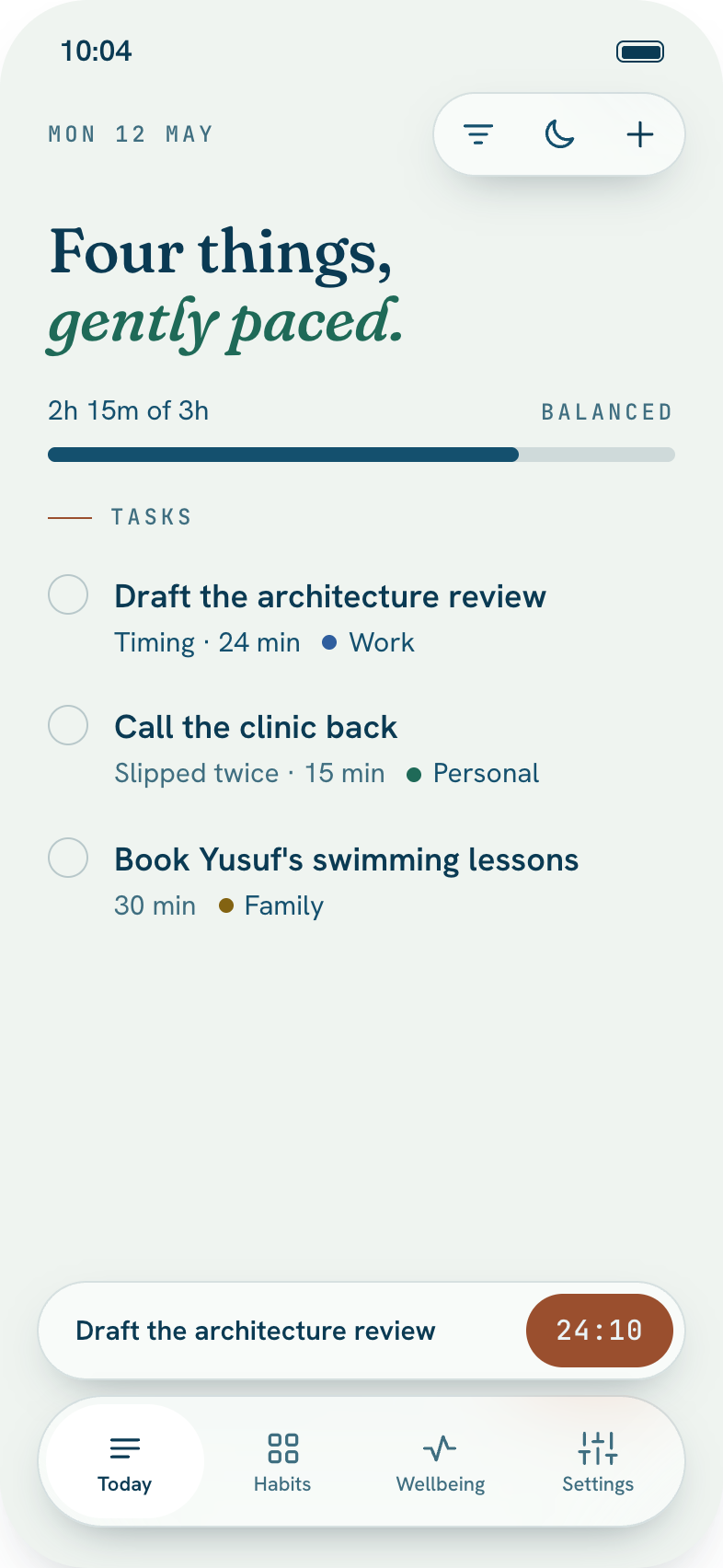
Open Jamaal and Today is one list: what matters, what's due, and the few fixed things you can't move. A bar shows how much of your day it fills, so you know before nine whether it's too much.

iPhone · Today widget on the Home Screen
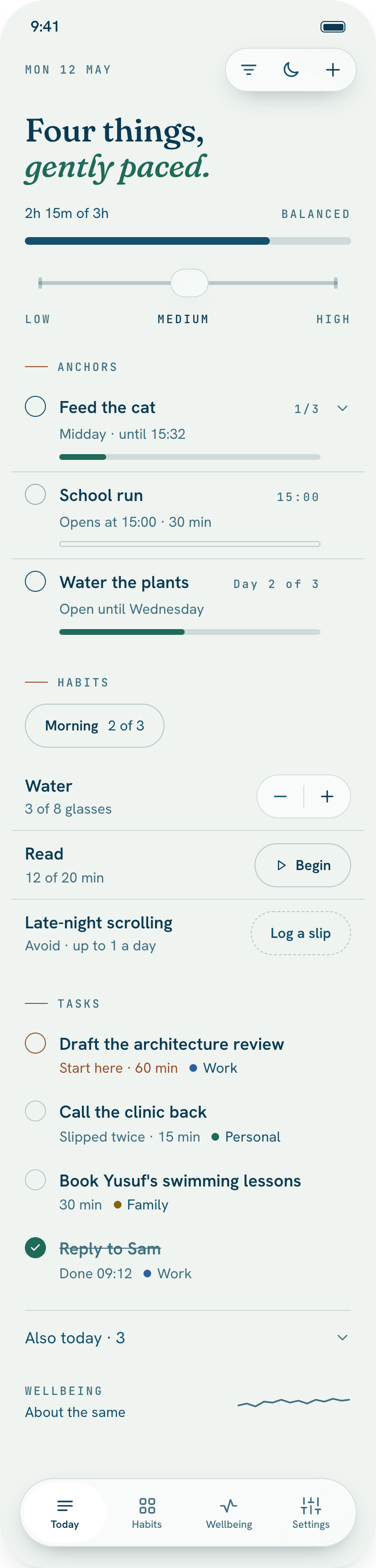
Today on iPhone
Today widget
09:40Capture

Add it anywhere. It tells you if it fits.

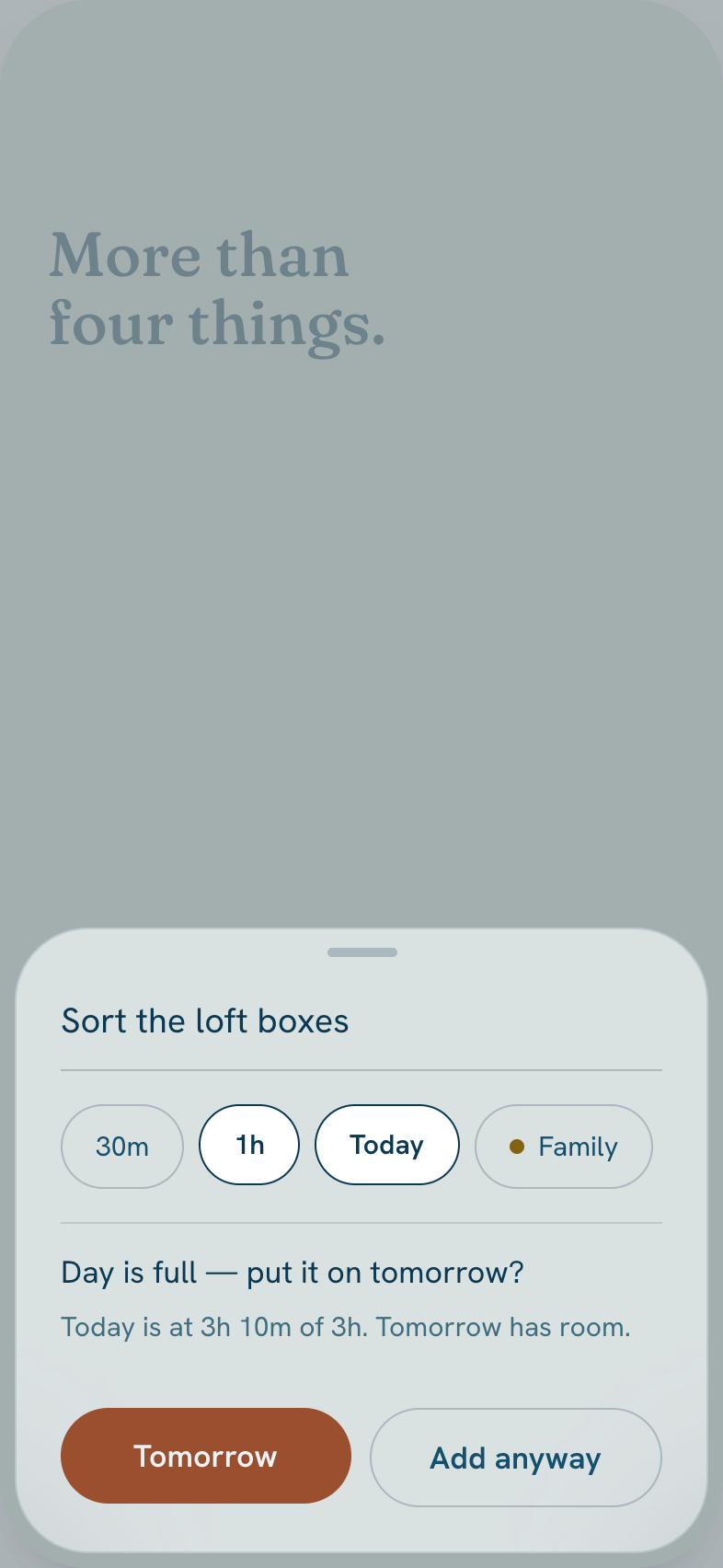
Type it on your Mac, your iPad or your phone, and give it a rough size. If today is already full, Jamaal says so and offers tomorrow instead of squeezing it in.

Mac · iPhone
Jamaal on Mac
Day is full
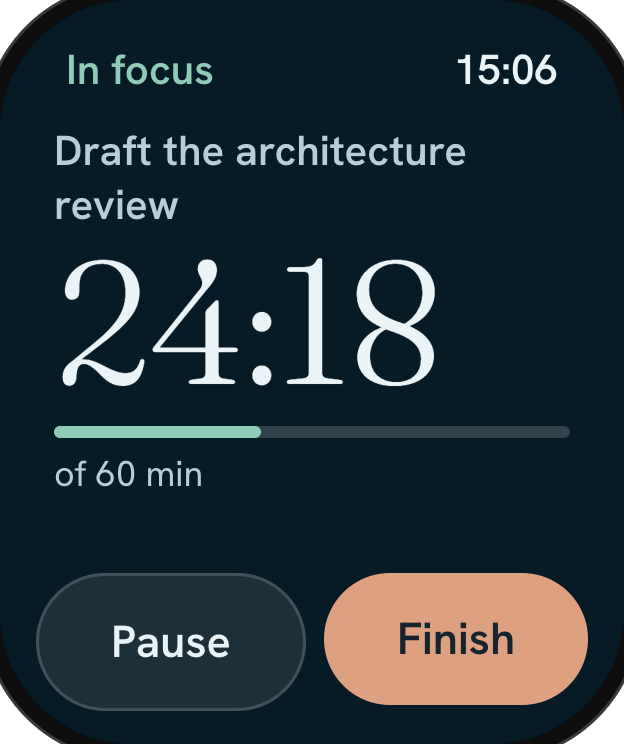
10:00Focus

Begin, and the rest steps back.

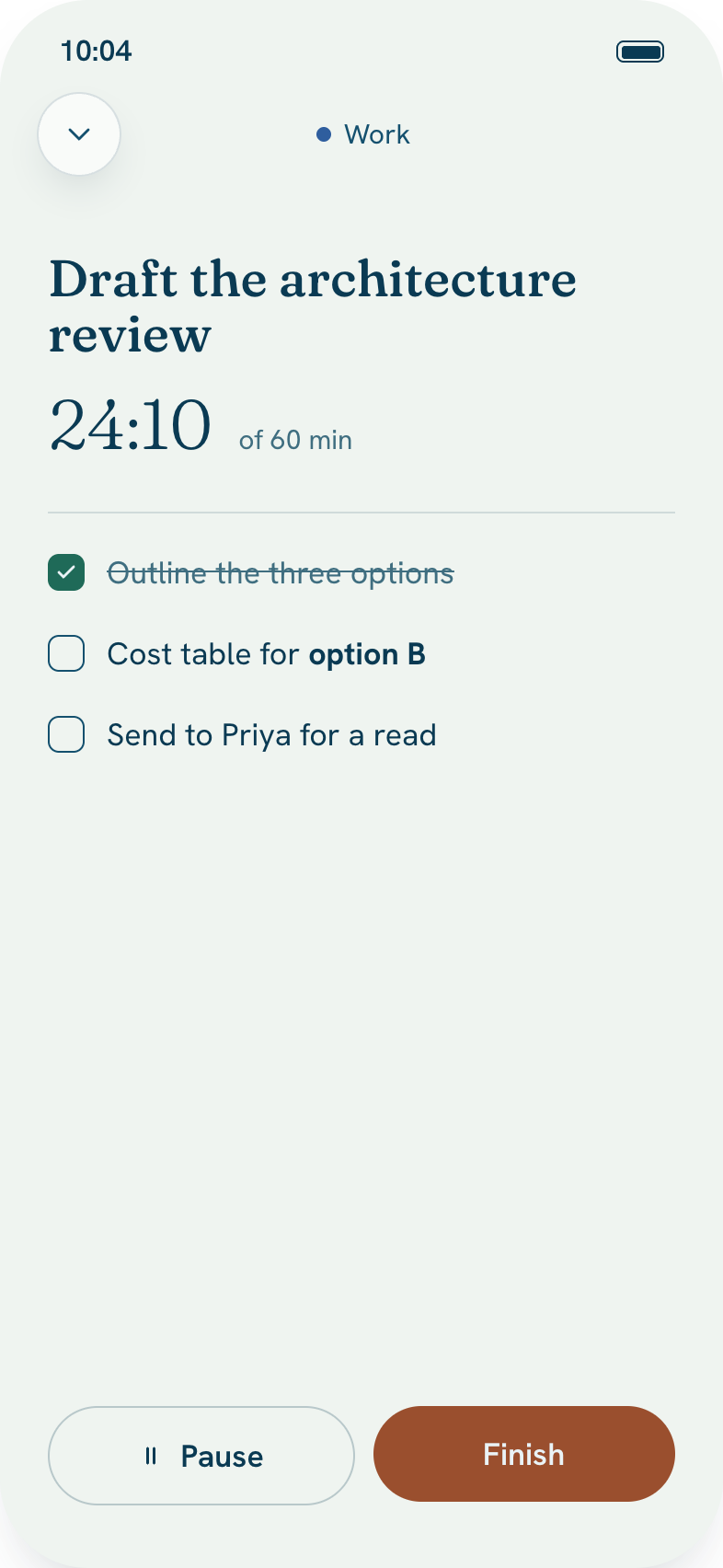
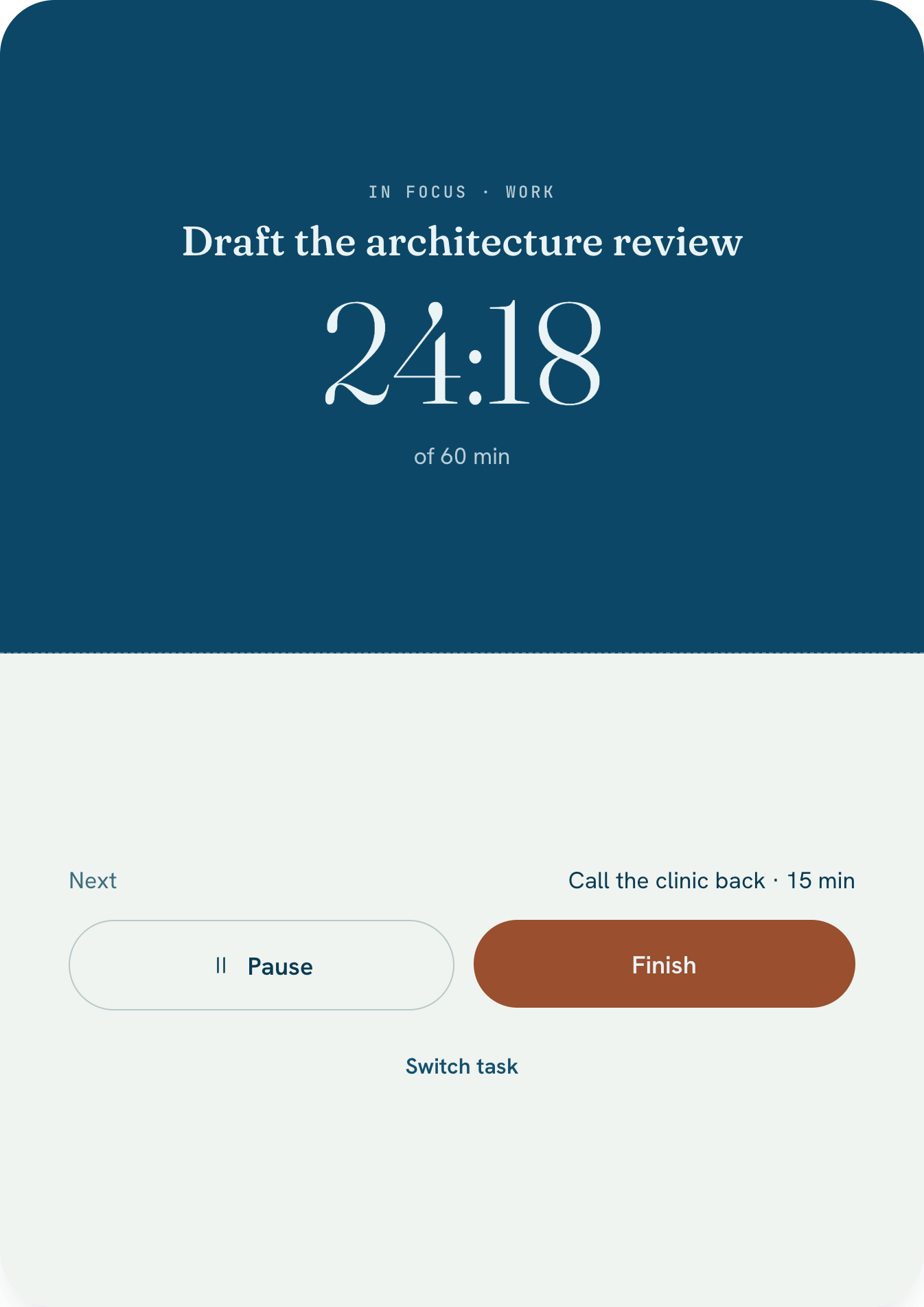
One task and one timer, counting up. There's no alarm when you pass the estimate, just a line that says so. Stand an iPhone Duo half-open on a table and it becomes a desk clock.

iPhone · iPhone Duo · Apple Watch and Live Activity in 1.1
Focus on iPhone
iPhone Duo tabletop focus
Coming in 1.1
Focus on Apple Watch
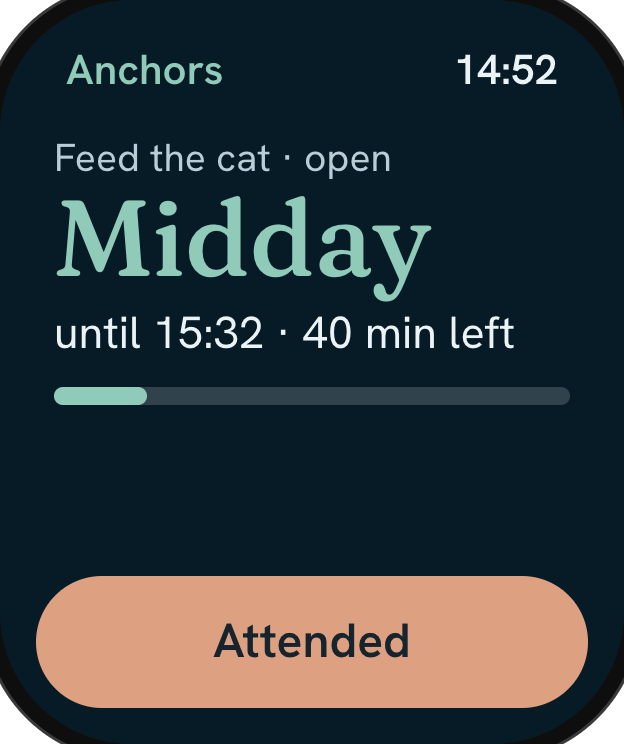
15:00Anchors

Some things don't move. Jamaal plans around them.

The school run, bin night, watering the plants, feeding the cat. Anchors have a window rather than a deadline. They sit at the top of Today, and everything else fits around them.

iPhone · Next Anchor widget · Apple Watch in 1.1
Anchors on Today
Next Anchor widget
Coming in 1.1
Anchors on Apple Watch
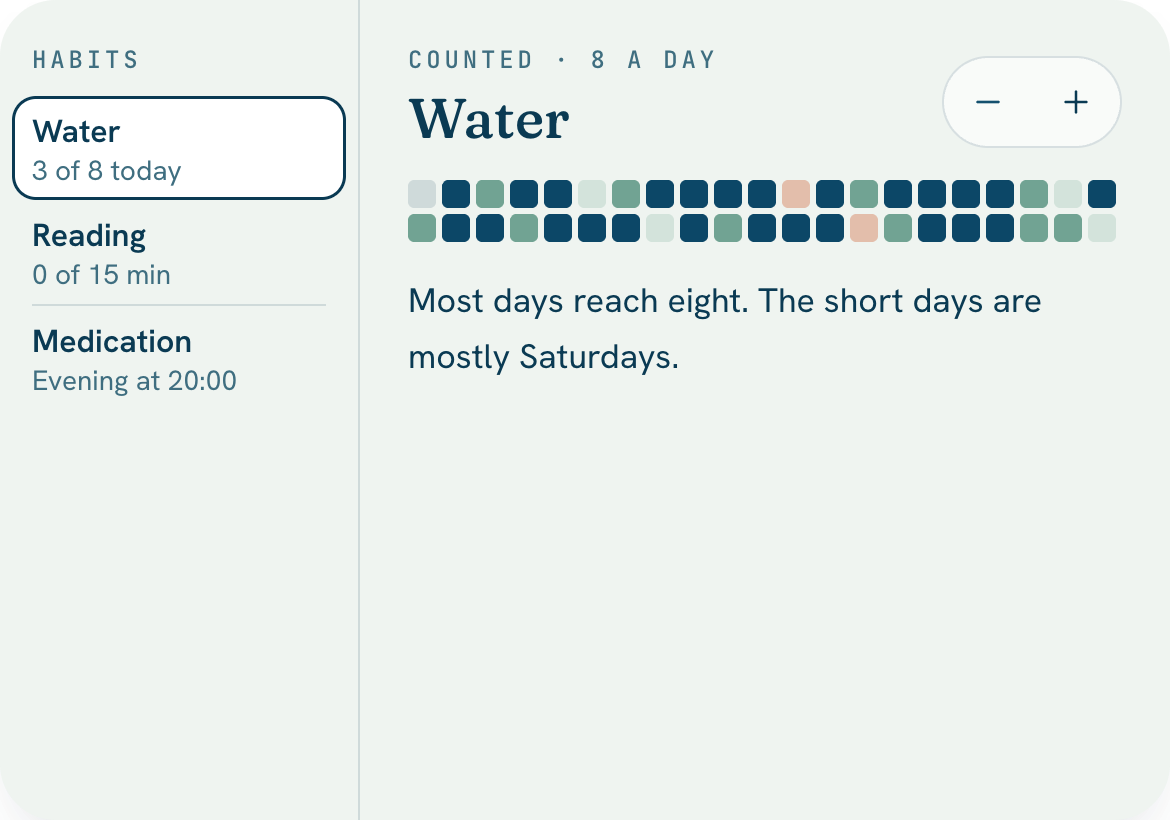
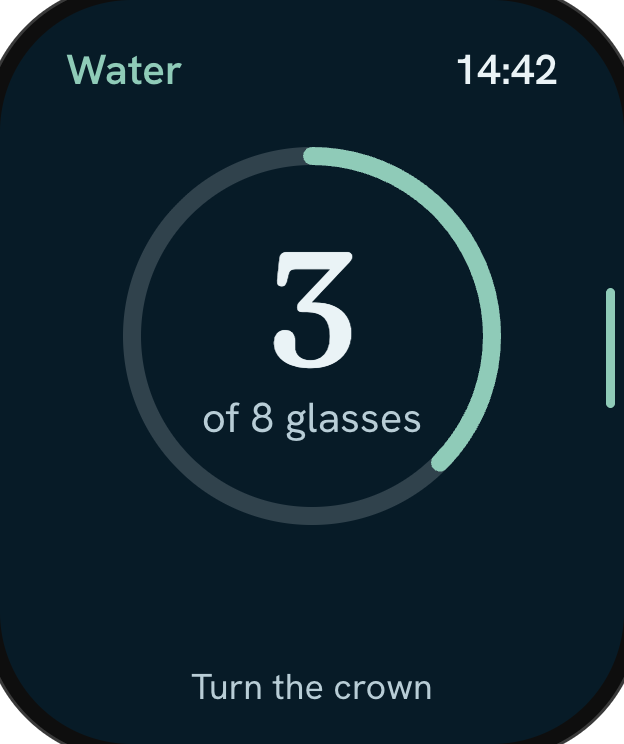
18:30Habits

Habits measured in weeks, not streaks.

Water, a walk, reading before bed. Each habit fills a grid of days, so a missed Tuesday is one pale square, not a broken chain.

iPad · iPhone · Apple Watch in 1.1
Habits on iPad
Coming in 1.1
Water on Apple Watch
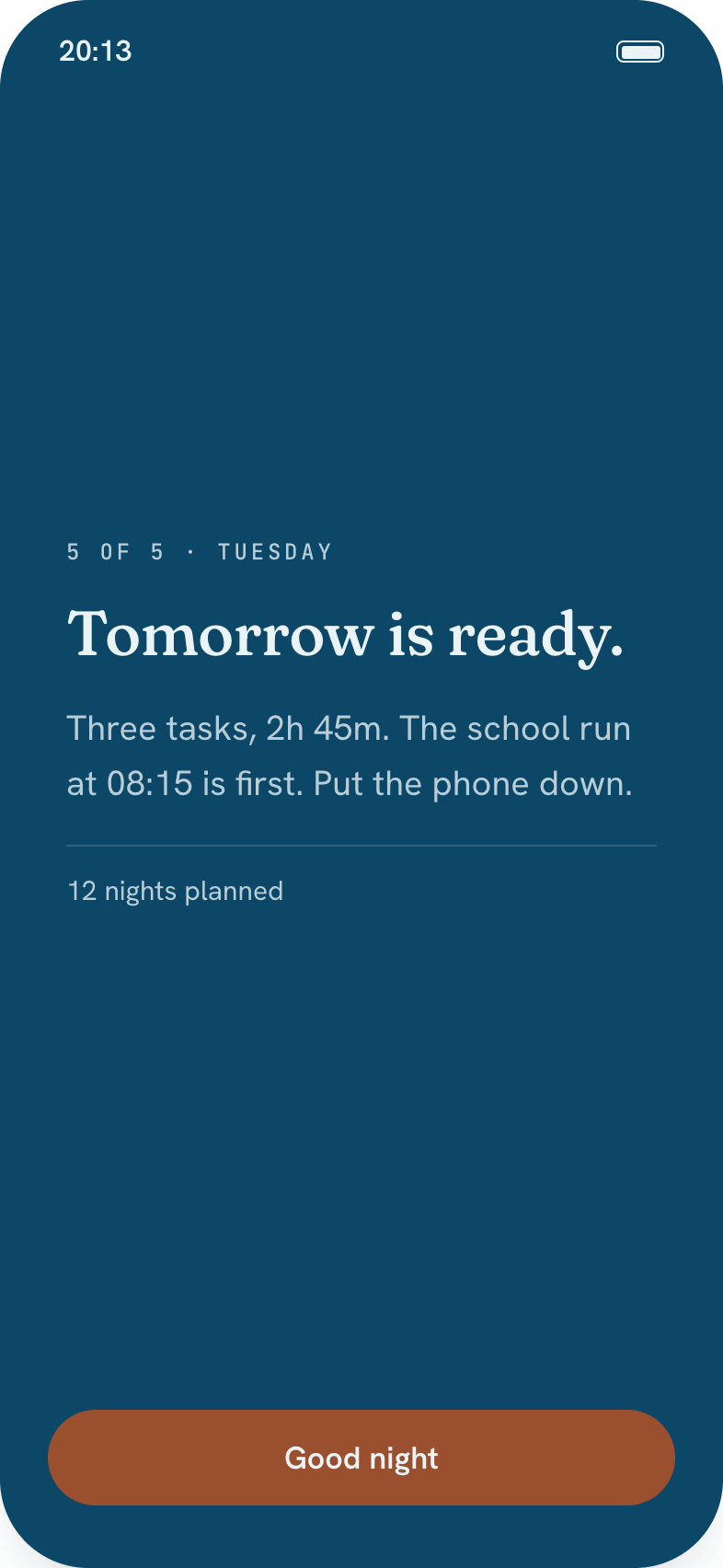
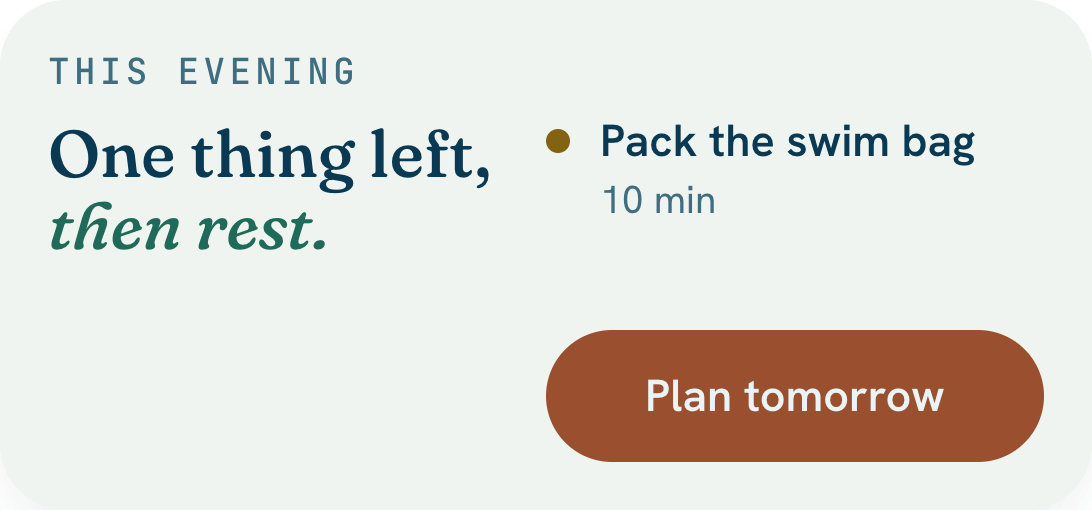
21:00Evening

Five quiet minutes, and tomorrow is ready.

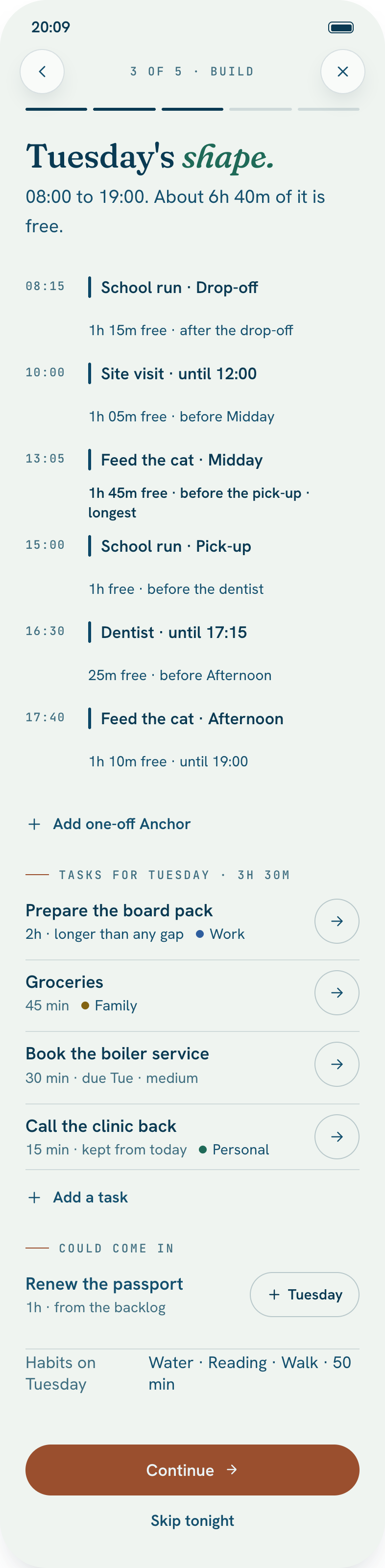
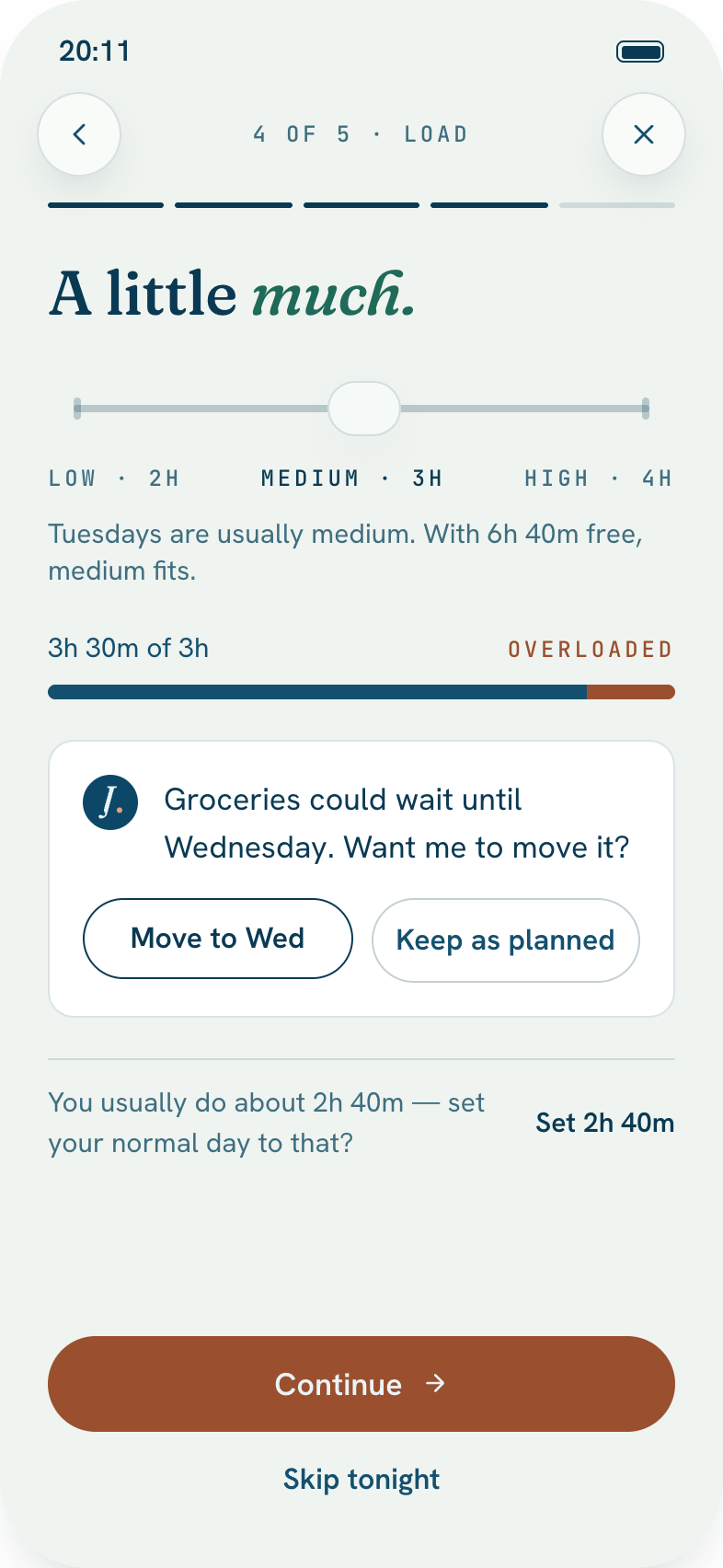
One gentle nudge in the evening. Look back at today, carry forward what's left, and shape tomorrow around what's already fixed. Then close the day.

iPhone · Today widget in the evening
Close the day
Plan tomorrow widget
Today on iPhone
Today widget
Night Planning

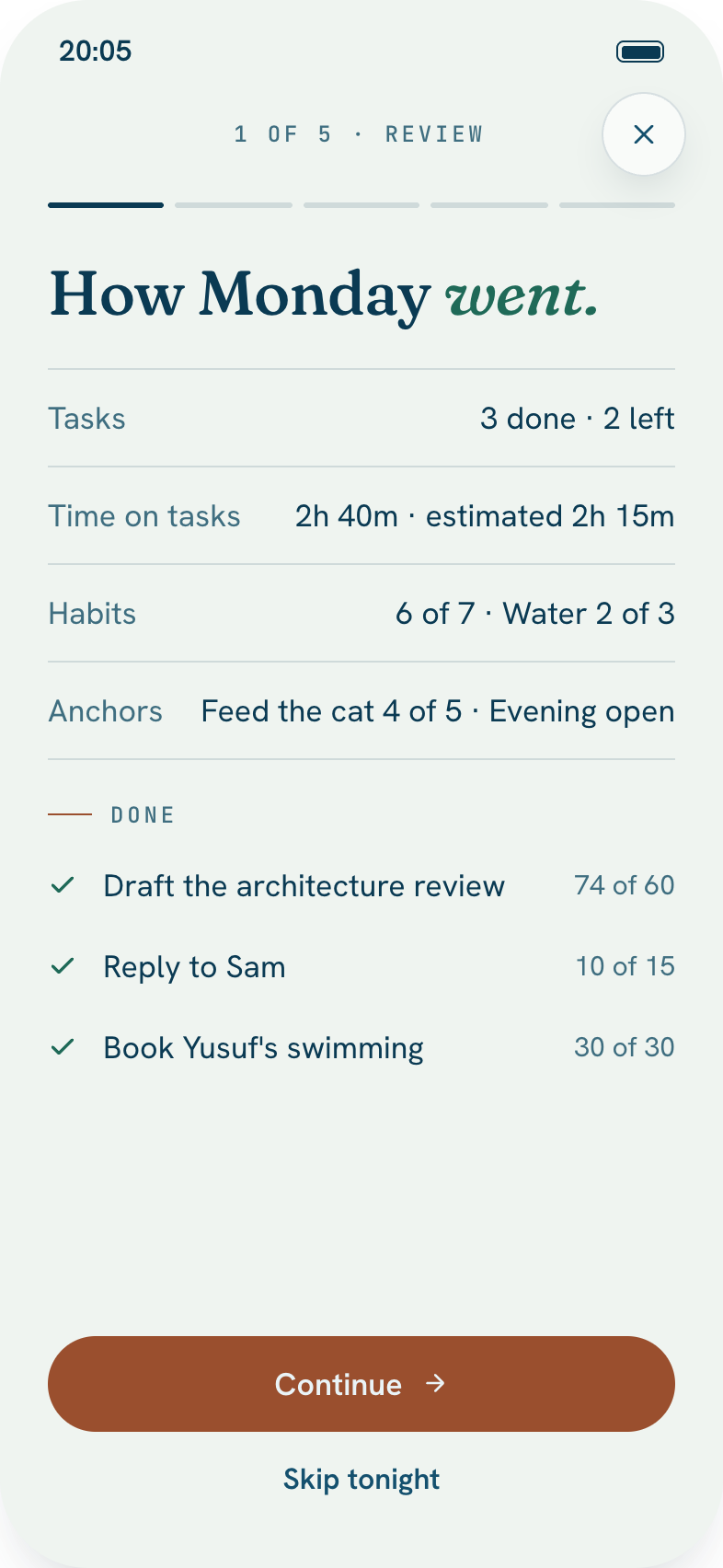
Five steps. About five minutes.

The part no list app does. Each evening, Jamaal walks you through today and shapes tomorrow around what's already fixed. Skip a night and nothing is lost.

Night Planning, step 1: Review today
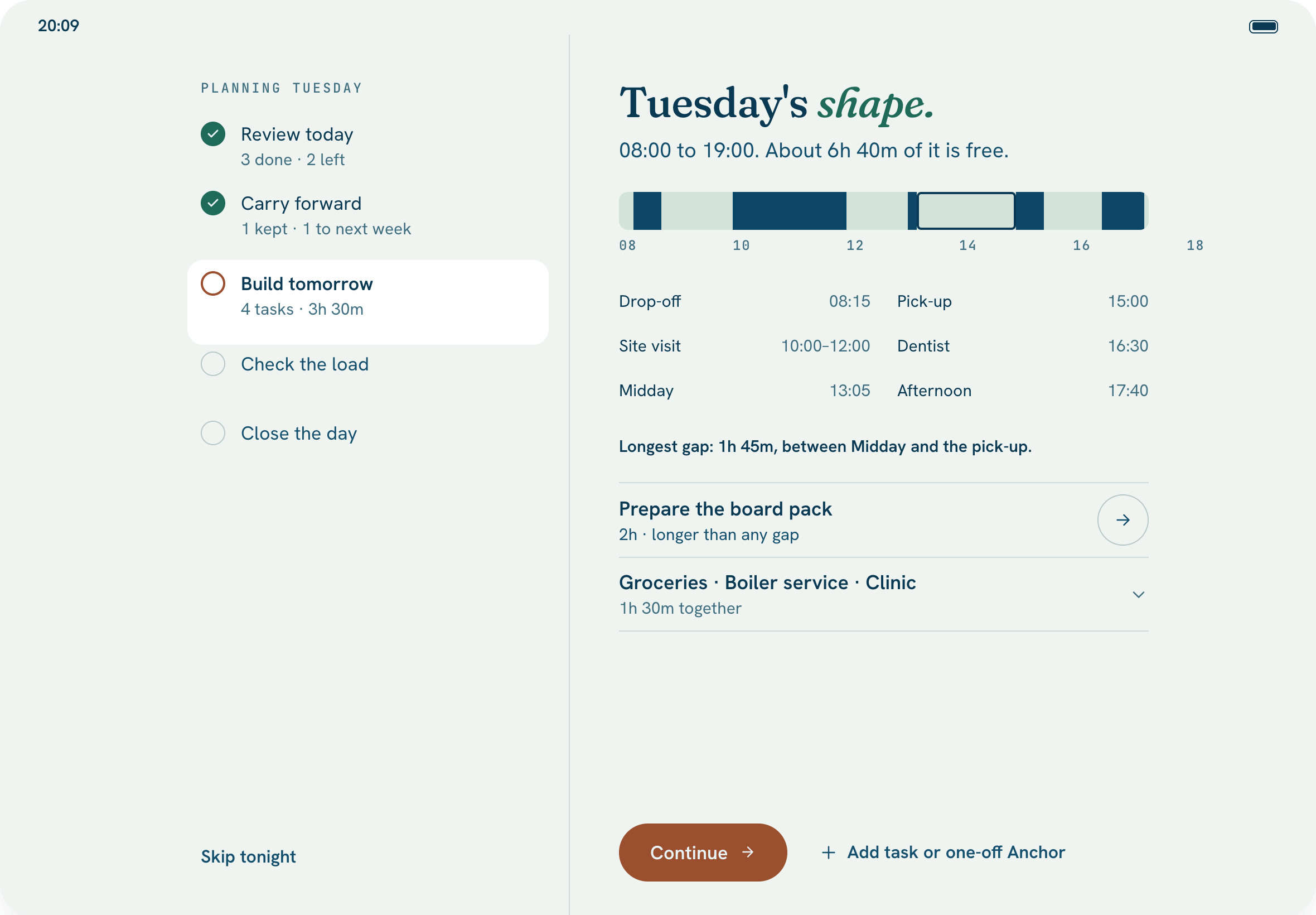
Night Planning on iPad, one canvas
On iPad and Mac

All five steps on one canvas, with tomorrow drawn to scale, so you can see the gaps between the fixed things before you fill them.

One system

The same list, wherever you look.

Mark something done on your phone and it's done on your Mac. Each device shows the list in the way that suits it, and they all share the same list underneath.

  • iPhone with the focus chip

    iPhone

    The whole day in one hand, with a running session always one tap away.

  • iPhone Duo open

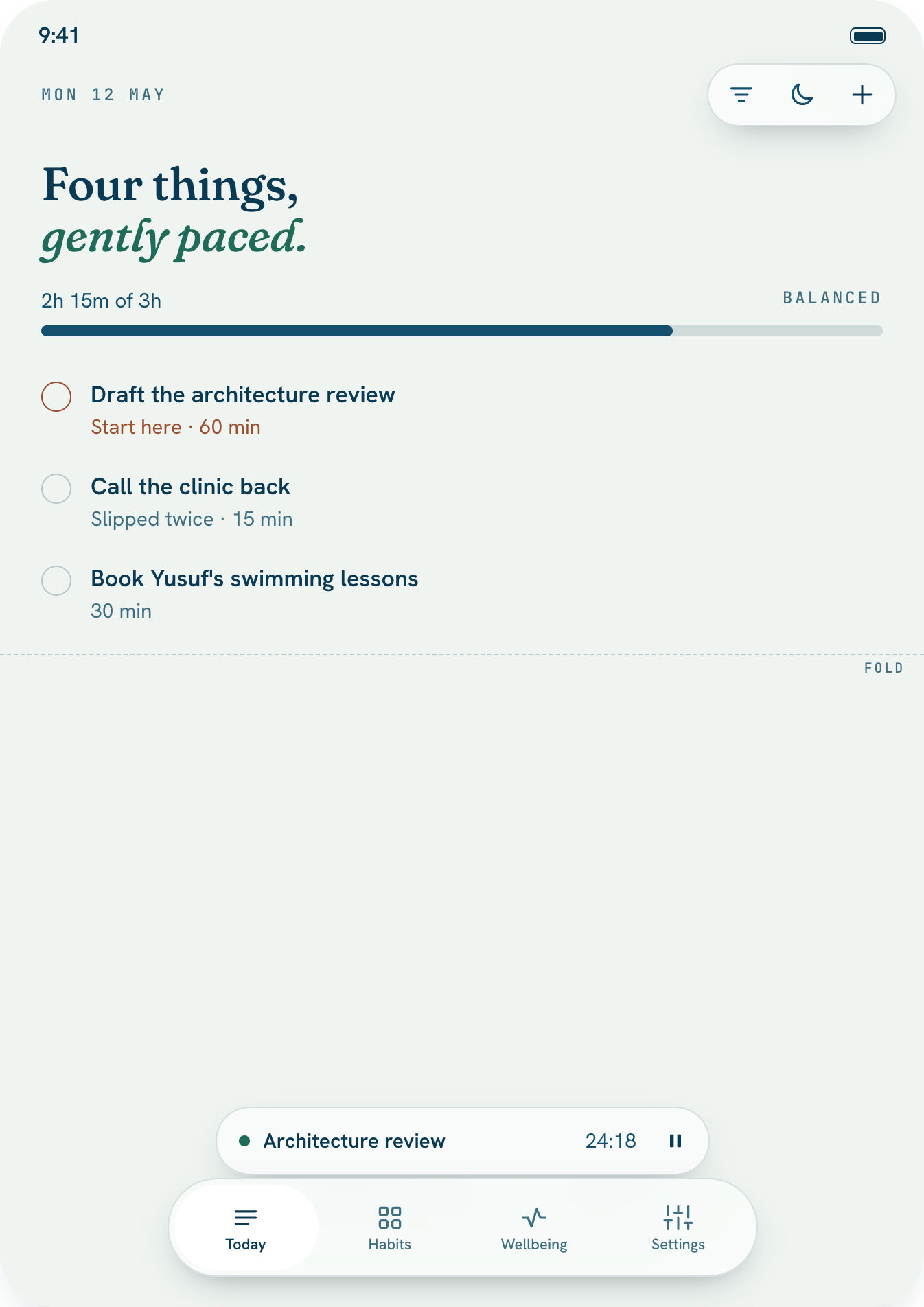
    iPhone Duo

    Folded, a phone. Opened, the list sits beside the task you're looking at. Half-open on a table, it's a focus clock.

  • iPad with list and detail

    iPad

    A sidebar, the list and the open task side by side. Anchors get their own place.

  • Jamaal on Mac

    Mac

    A proper Mac app: ⌘N to add, menu-bar commands, and Settings where Mac apps keep them.

  • Today widget, medium
    Next Anchor widgetToday widget, small

    Widgets

    Today and Next Anchor on the Home Screen, the Lock Screen and the Mac desktop. In the evening, a way into tomorrow.

  • Coming in 1.1
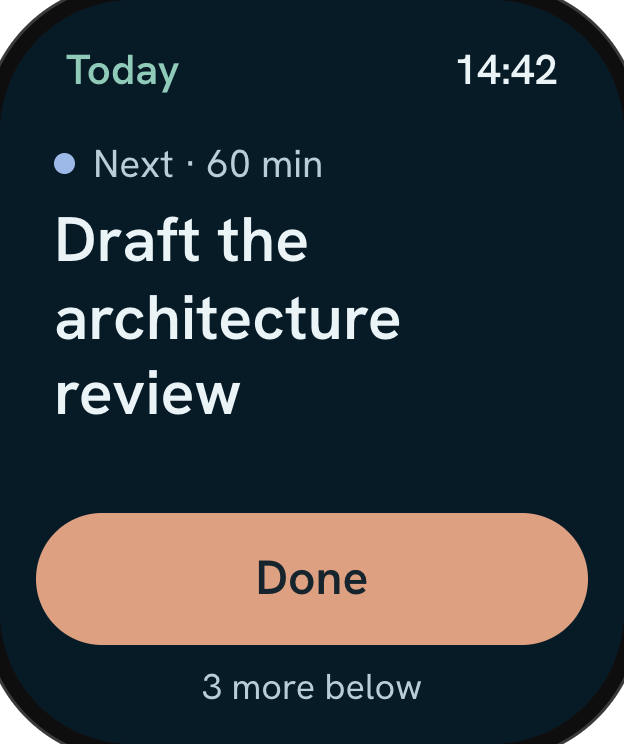
    Apple Watch, next task

    Apple Watch

    The next thing, large, with Done under your thumb. Habits by the crown, a focus timer and quiet complications.

  • Coming in 1.1
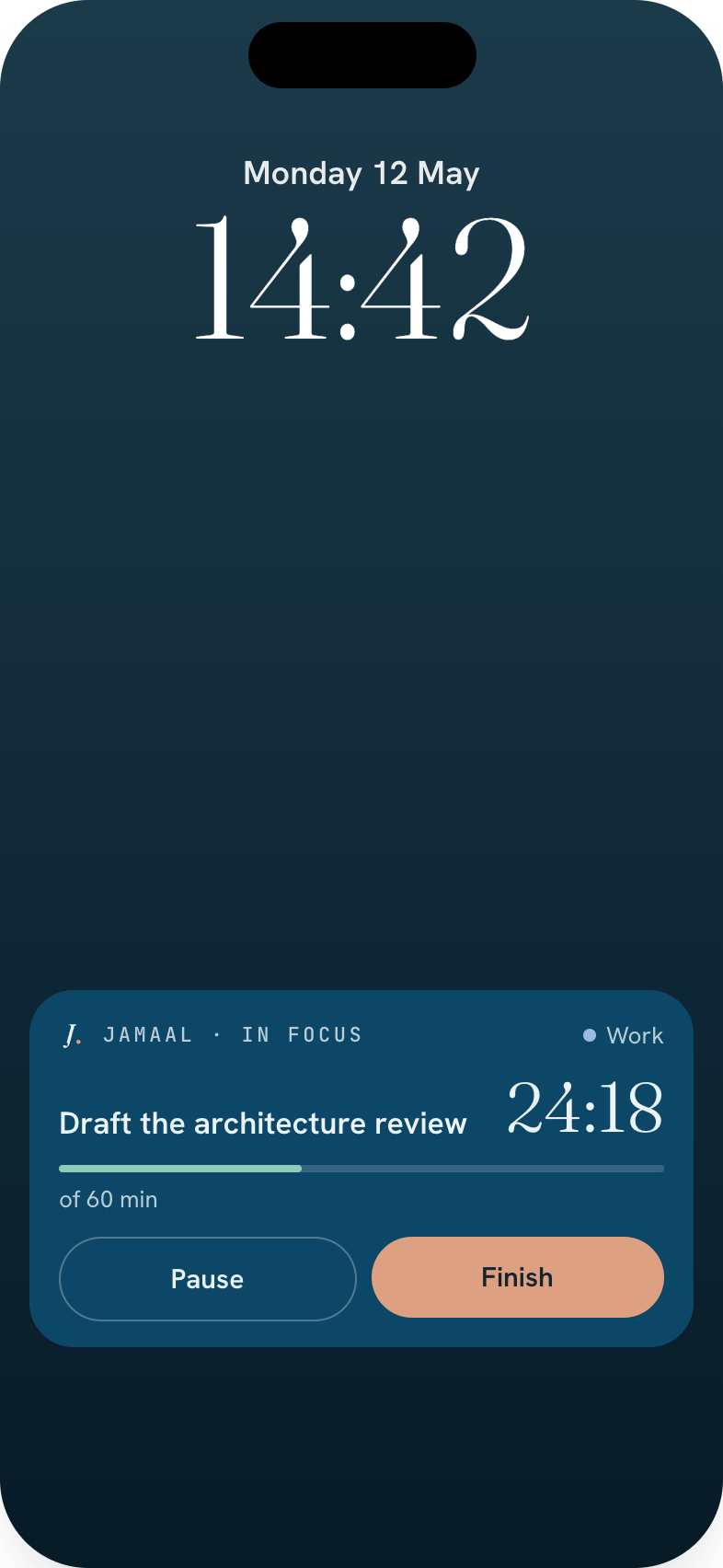
    Live Activity on the Lock Screen

    Live Activity

    A running session on the Lock Screen and in the Dynamic Island, with Pause and Finish.

What it won't do

Calm is a feature.

Most productivity apps run on guilt. Jamaal is built around a few things it will never do.

  • No streaks.

    Miss a day and nothing breaks. Habits show up as a grid of days over weeks, not a number to protect.

  • No red.

    Being late is said in words. Nothing flashes, and there are no overdue badges.

  • No projects, no tags. Ever.

    One flat list. Categories are labels, not folders to manage.

  • It knows when the day is full.

    Rough effort estimates and how much energy you have set a budget for each day.

  • A voice, not a coach.

    Jamaal suggests one move at a time, and "keep as planned" is always an answer.

Why I built it
For years I bounced between a reminders app, a calendar, a habit tracker and a to-do list. None of them stuck, because none of them knew how much day I actually had. Jamaal is the one I kept opening.
Fahad Ahmed
Made by hand at fhdamd, in Melbourne
Pricing at launch

Two weeks free. Then one simple price.

The beta is free. When Jamaal launches, everything is included from day one with nothing to pay up front, and one subscription covers iPhone, iPad and Mac.

Monthly
$2.99
a month

If the trial ends and you don't subscribe, nothing is taken away. You can still tick things off, log habits, mark Anchors and run the timer. Adding, editing and Night Planning wait for a subscription, and your data can always be exported.

Prices in USD. The App Store shows yours in your own currency.

Privacy and iCloud

Your day is nobody's business.

  • No account

    There's nothing to sign up for. Open the app and start.

  • In your own iCloud

    Your list syncs across your iPhone, iPad and Mac through your own iCloud, and it works offline.

  • Hidden when locked

    Task titles in widgets are hidden while your device is locked.

Questions

When does the beta open?

Soon. Everyone on the waitlist gets a TestFlight invite the moment it does, without having to come back and sign up again.

What will you do with my email?

Send you the beta invite and tell you when Jamaal launches. Nothing else, and you can unsubscribe at any time.

How is this different from Reminders or a to-do app?

Those apps hold everything and leave the deciding to you. Jamaal shows only today, puts it in order by what matters and what's due, checks it against how much time and energy you have, and plans tomorrow with you each evening.

Do I need to set up projects or tags?

No, and you never will. It's one flat list. Personal, Family and Work are simple labels you can rename or filter by. They aren't folders.

What's an Anchor?

Something your day moves around that has a window rather than a deadline: the school run, bin night, watering the plants, a weekly class. You mark it attended, not done, and there's never a streak to keep.

What happens after launch?

Jamaal has a 14-day free trial, then costs $2.99 a month or $24.99 a year. If you don't subscribe, you can still tick things off, log habits, mark Anchors and run the timer. Adding, editing and Night Planning wait for a subscription, and nothing is deleted.

Which devices does it run on?

iPhone, iPad and Mac, including the iPhone Duo. The Apple Watch app and Live Activities arrive in version 1.1. An Android version may come later.

Does it sync between my devices?

Yes, through your own iCloud. There is no Jamaal account, and it works offline.

Will it nag me?

No. There's one evening reminder, plus reminders for windows you've asked about. Nothing is red, nothing flashes, and there are no streaks to lose.

Tomorrow can be calmer.

Join the waitlist. You'll be the first to get a TestFlight invite when the beta opens.

Two emails at most: one when the beta opens, one at launch.