Your first Night Planning, in five minutes.
Each evening, Jamaal offers to plan tomorrow with you. Here's what each of the five steps is for, and how to get through them quickly.
You'll get one gentle nudge at the planning time you chose during setup. You can change it in Settings. Tap the nudge, or the moon in Today's toolbar, to begin.
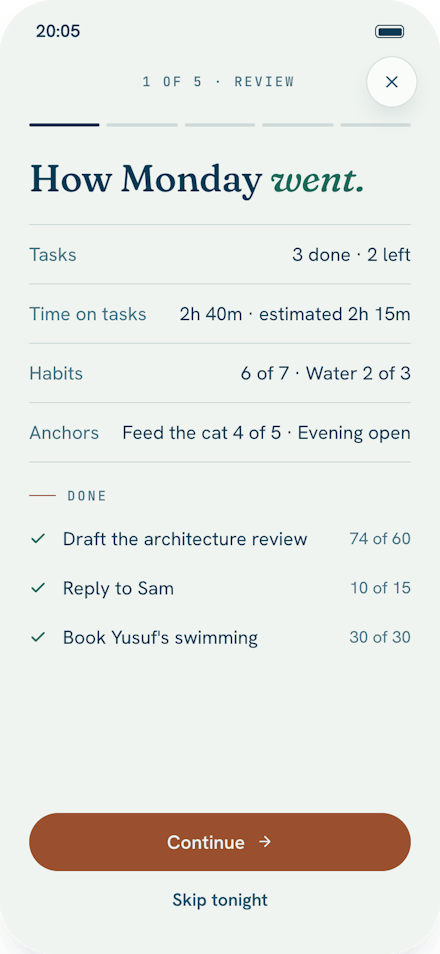
- Step 1 of 5Review todayPlain counts of what got done and how long it took, set against your estimates. Nothing to do here but look. It helps your guesses get better.
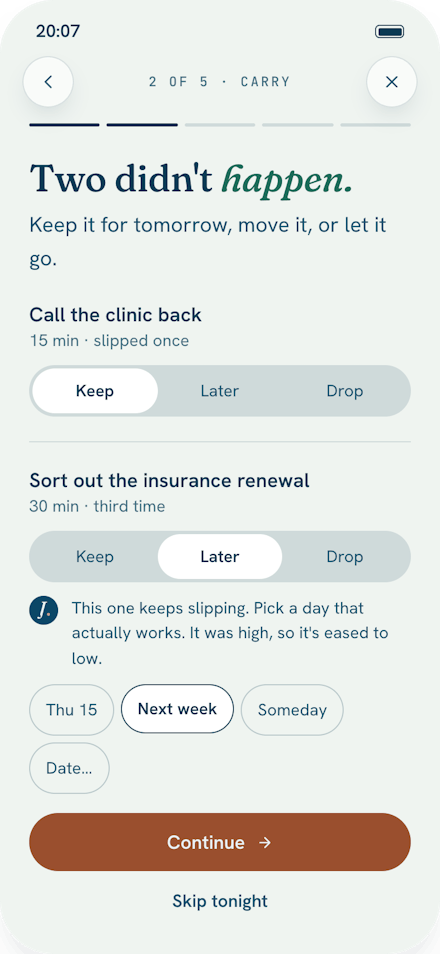
- Step 2 of 5Carry forwardFor each thing left over, choose keep, later or drop. The third time something is pushed, Jamaal asks for a date. That's usually the moment to be honest about it.
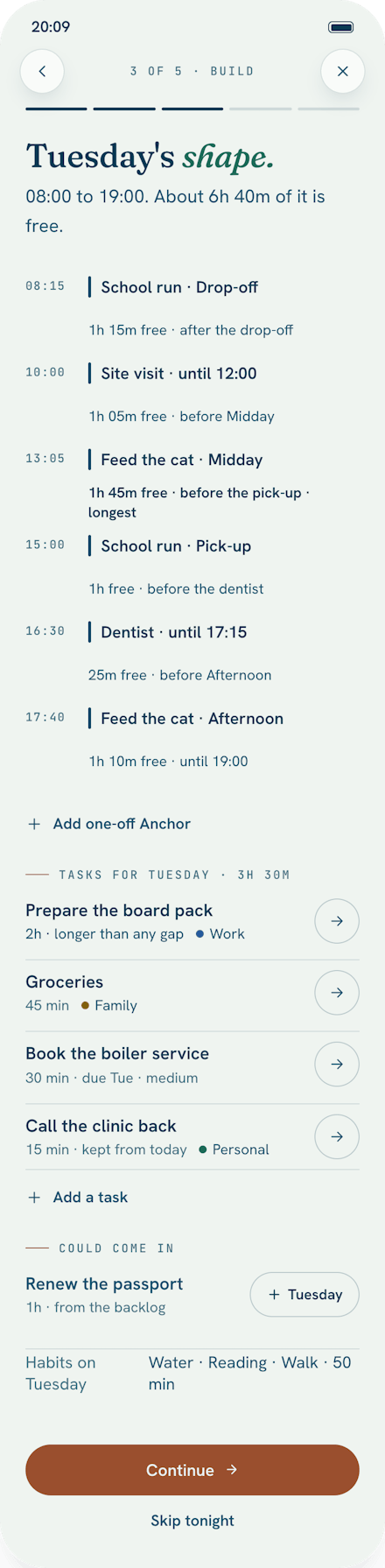
- Step 3 of 5Build tomorrowTomorrow's fixed points, with the free gaps between them named. Add tasks and see which gap they'd fit. A task longer than any gap is flagged, so you can split it or move it.
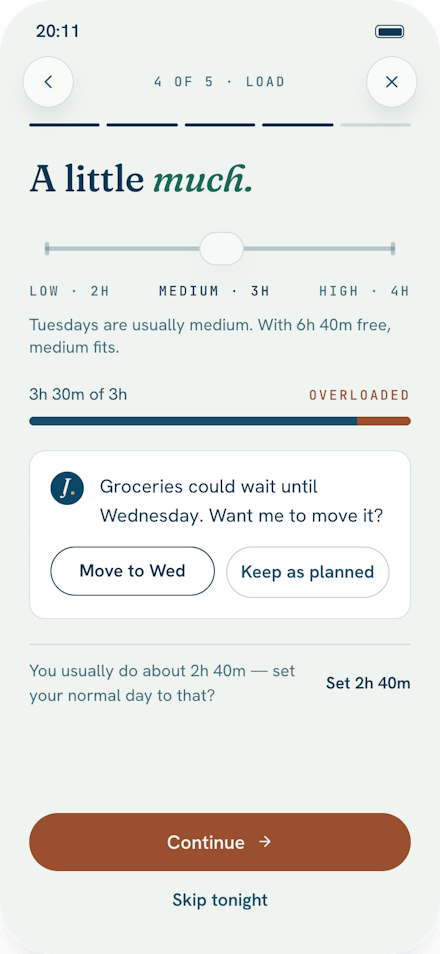
- Step 4 of 5Check the loadChoose how much energy tomorrow has: low, medium or high. If the plan runs over, Jamaal suggests one move. You can take it or keep your plan.
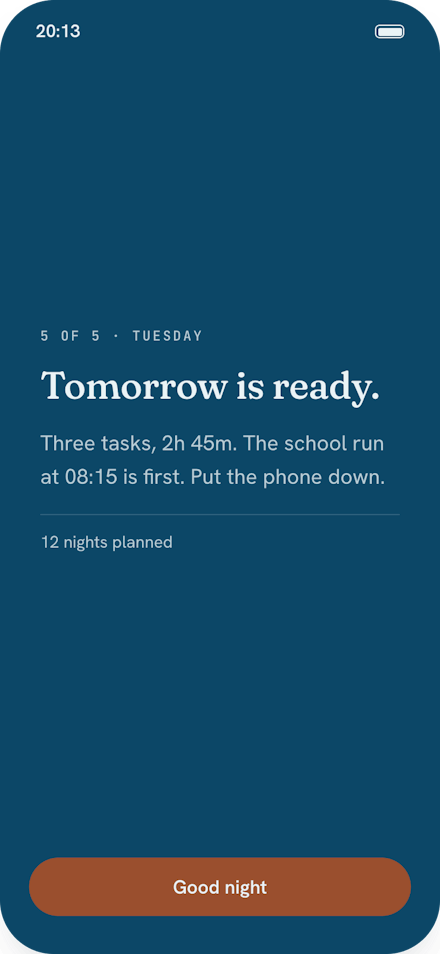
- Step 5 of 5Close the dayTomorrow is ready. That’s it. Good night.
If you miss a night
Nothing breaks. In the morning, Today offers a shorter version of the same flow: build today, check the load, and go. Or just ignore it. Your list is still there, in order.
Be first to try itA TestFlight invite as soon as the beta opens.
Join the waitlist