Your day, on one list.
Most planners ask you to organise first. Jamaal asks you to look at today.
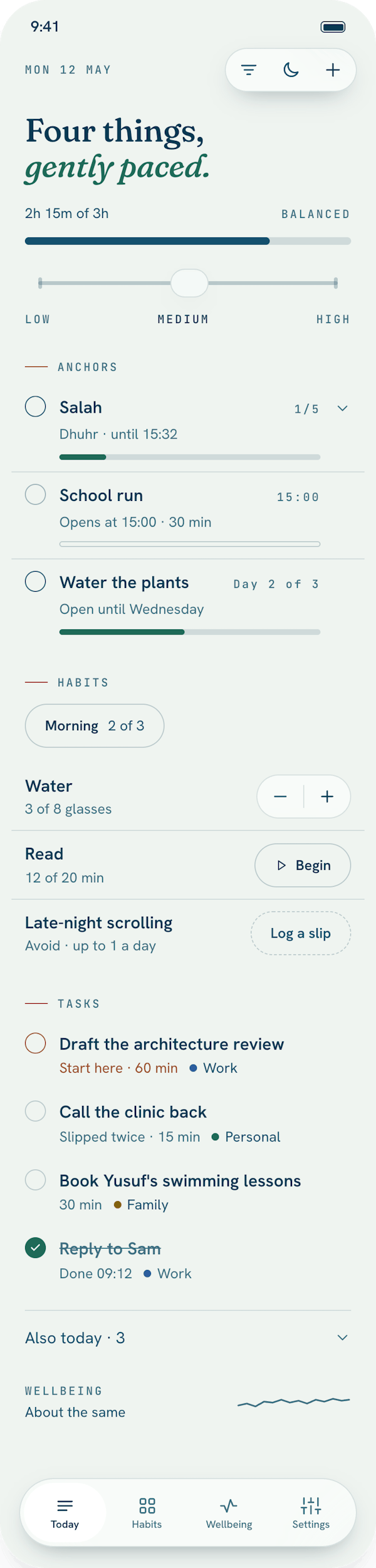
One flat list
Today is the whole app's front door. There are no projects and no tags. A task can carry one label, like personal, family or work, so you can filter if you want to, but the label never becomes a folder.
From the top: the capacity slider and a meter, then your Anchors, then your habits, then your tasks. Tasks come in an order the app works out for you, so what matters and what's due sit first; you don't sort anything by hand.
How much day you have
The slider at the top is how much energy today has: low, medium or high. During setup you told Jamaal what a normal day looks like, and the slider moves from there.
- Low shows your Anchors, the things that are both important and urgent, and habits whose time is closing. Everything else waits.
- Medium shows everything due except the least important, least urgent things.
- High shows everything due today.
Nothing disappears silently. What's hidden sits under a line that says how many more there are at a higher capacity, and one tap shows them.
The meter
Each task can have a rough effort, in minutes. The meter adds up what's on today's list and sets it against your capacity, in plain words: light, balanced, full, or over. It's a way of seeing, not a score. It only turns a warmer colour when you're over, and never red.
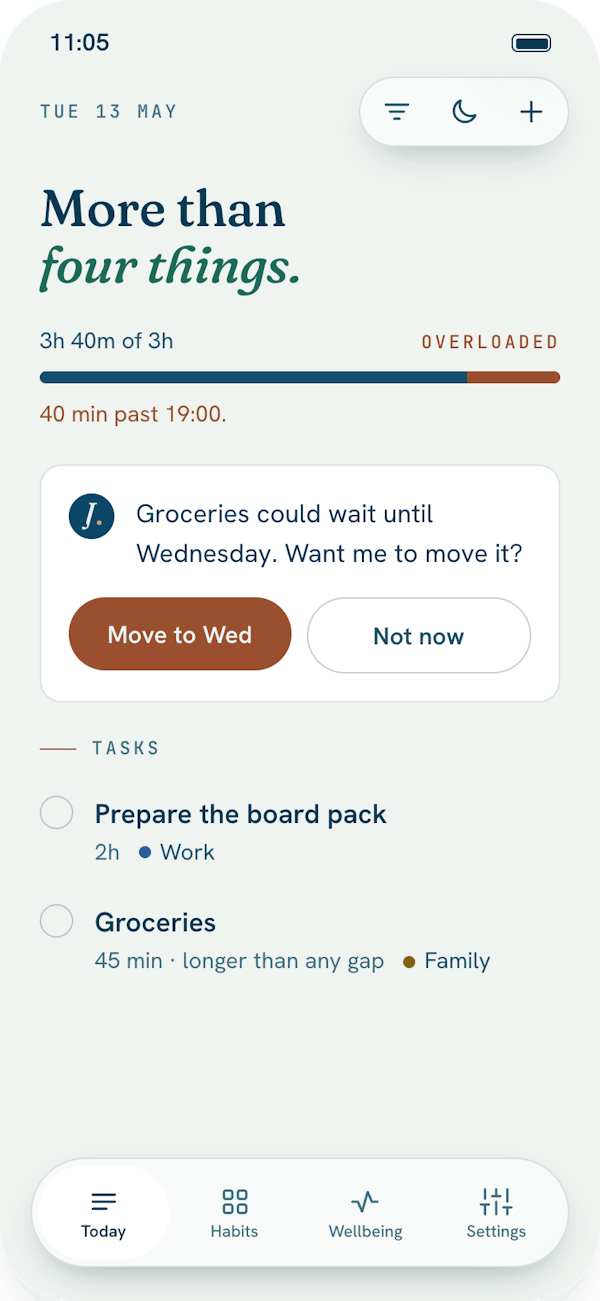
Adding things
The plus in the toolbar opens one small sheet. Type what it is, say how long it might take and how much it matters, and choose when. If you say something matters a lot, the date can move to today for you. If today is already full, Jamaal says so and offers another day. You can still add it anyway.
When something doesn't get done
At the end of the day, anything still due moves to tomorrow by itself, and nothing is marked as failed. If something keeps moving, Jamaal notices. The third time you push the same task, it asks you to pick a date. The fifth time, it gently suggests that this might be a task to let go of. That is usually the honest answer.
Planning tomorrow
In the evening, Jamaal offers to plan tomorrow with you, in five short steps. You can skip it any night, and your list is still there, in order, in the morning.